
Pulse IPTV is a subscription streaming service that offers live TV channels and on-demand movies and series over your internet connection, with plans starting at €20 for one month. The catch is that several different websites use the same name, so it isn’t always clear which service you’re paying for. This Pulse IPTV review covers the official service: pricing, features, supported devices, the free trial, setup, and the legal and safety questions worth settling before you subscribe.
Everything here is based on what Pulse IPTV publishes on its official website as of September 2026. We haven’t independently verified the channel lineup or live-stream reliability, so treat a trial as the real test.
Pulse IPTV Review at a Glance
| Detail | Pulse IPTV |
|---|---|
| Official website | pulseiptv.com/us |
| Starting price | €20 for 1 month (1 device) |
| Best-value plan | €65 for 12 months (about €5.42/month) |
| Simultaneous screens | 1 to 4 |
| Video quality | HD and 4K on compatible devices |
| Program guide | EPG included |
| Support | WhatsApp and Telegram |
| Free trial | Confirmed through support |
| App | Works through third-party IPTV player apps |
Short verdict: Pulse IPTV is clear about pricing and plan structure, but it doesn’t publish a channel list, a refund policy or any content-licensing information. Test it before you commit to a long plan.
Which Pulse IPTV Is This Review About?
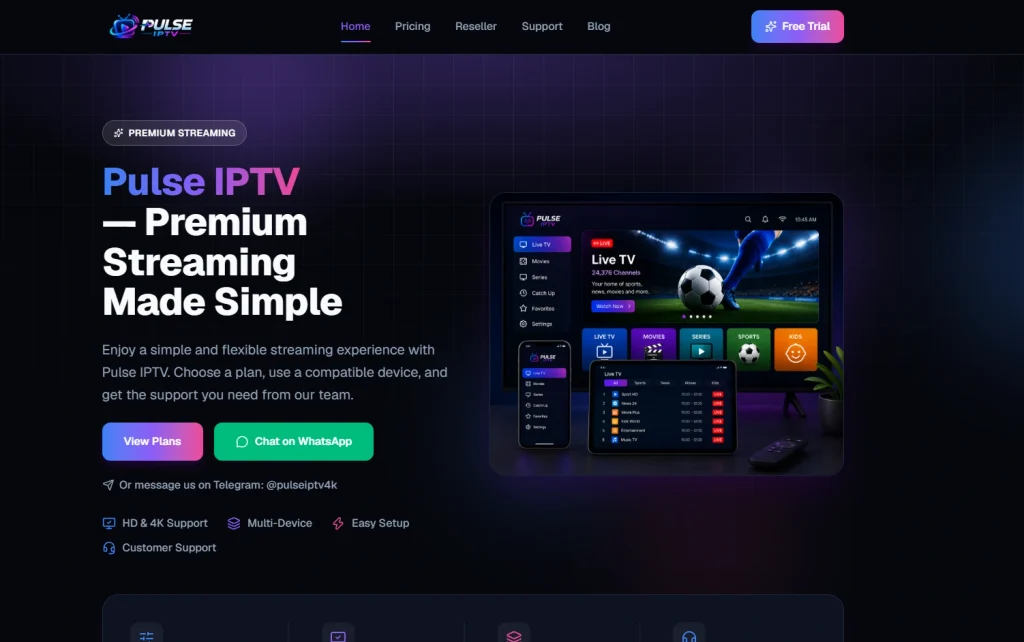
Several websites and resellers advertise a service called Pulse IPTV, and their claims don’t match. Pages we found mention 16,000 channels, 25,000 channels, or more than 55,000, while the official site doesn’t publish a channel count at all. This review covers only the service on the official Pulse IPTV website (pulseiptv.com).
Before you pay anyone, check the following:
- You’re on the official site, and its pricing matches the plans listed below.
- The contact details match what the official site lists: WhatsApp +34 613 836 698 and Telegram @pulseiptv4k.
- If you’re buying from a third party, ask them to confirm they’re an authorized reseller, since the official terms mention separate reseller agreements.
What Is Pulse IPTV?
Pulse IPTV is built on Internet Protocol Television (IPTV), which delivers TV over an internet connection instead of a satellite dish or cable box. You install a player app on a compatible device, enter the activation details Pulse IPTV sends after payment, and load the channel list and library. The official site describes a live channel package, an on-demand library of movies and series, and HD and 4K support on compatible devices.
Pulse IPTV Features
- Live channel package: Included in every plan, but the official site doesn’t list a channel count, countries, or channel names, so you can’t check the lineup in advance.
- On-demand library: Movies and series are included at every tier, though what’s available shifts over time.
- HD and 4K: Available on compatible devices, depending on your player, connection, and the source stream.
- Program guide: An EPG program guide is included with every plan.
- Multi-screen plans: Choose 1 to 4 simultaneous screens. Only devices streaming at the same time count toward the limit, not the number of devices with the app installed.
- Human support: WhatsApp and Telegram support is listed as available 24/7.
Pulse IPTV Pricing and Plans
Pulse IPTV plans are one-time payments for a fixed period rather than automatically renewing subscriptions, and prices are listed in euros.
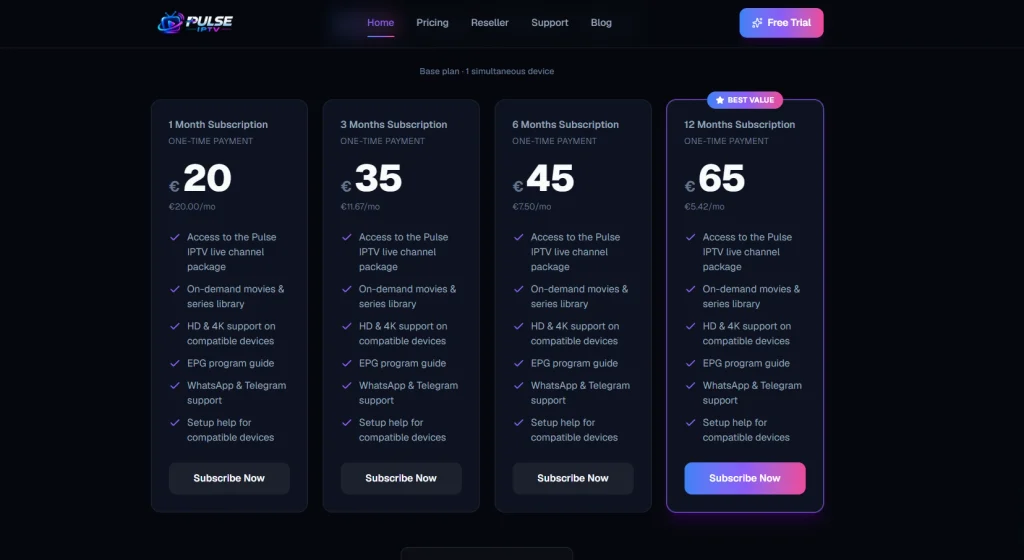
| Plan | Price | Effective monthly cost |
|---|---|---|
| 1 month | €20 | €20.00 |
| 3 months | €35 | €11.67 |
| 6 months | €45 | €7.50 |
| 12 months | €65 | €5.42 |
The 12-month plan works out to roughly 73% less per month than the 1-month plan. Prices for the 2-, 3-, and 4-device tiers are available through the device selector on the same page.
Every “Subscribe Now” button opens a WhatsApp chat instead of an automated checkout, and the site mentions secure payment methods without naming them. Ask which methods are accepted before you pay, and prefer one with dispute rights. In the United States, for example, the FTC explains how the Fair Credit Billing Act covers credit card billing disputes. The Terms of Service cover activation, acceptable use and availability, but they don’t include a refund policy and they state that uninterrupted service isn’t guaranteed.
Supported Devices and How to Set Up Pulse IPTV
Pulse IPTV lists support for Fire TV and Firestick, Smart TVs, Android phones and tablets, iPhone and iPad, Apple TV, Windows and Mac, Android TV boxes and other compatible TV boxes. It doesn’t list its own app. Instead, you use a compatible IPTV player and enter your activation details.
Setup follows four steps:
- Choose a plan and message support on WhatsApp or Telegram.
- Confirm payment and receive your activation details.
- Install a compatible player on your device.
- Enter the details, wait for the channel list and library to load, then start watching.
The official installation guides cover each device. If your Smart TV has no compatible player, they suggest connecting a Fire TV Stick, Android TV box, or Apple TV. New to IPTV? Our guide on how to use IPTV explains the basics.
Pulse IPTV Free Trial
Pulse IPTV doesn’t use an automatic trial signup. Trials are confirmed in conversation with support on WhatsApp or Telegram, and the length and terms can vary. Ask about current availability, then test it properly:
- Use the device you’ll actually watch on.
- Watch on your normal Wi-Fi, not next to the router.
- Try both live channels and the on-demand library.
- Send support a real question and note how quickly and clearly they reply.
A short trial can’t prove long-term reliability, but it shows whether setup, playback, and support work for you. To compare, see these IPTV free trial options.
Streaming Quality and Internet Speed
4K on Pulse IPTV depends on your device, player, connection, and the source stream, as the official site notes. For a rough benchmark, Netflix recommends 3 Mbps for HD, 5 Mbps for Full HD and 15 Mbps for 4K per stream. IPTV isn’t identical to Netflix, so treat those figures as a floor and multiply by the number of screens streaming at once. Many streaming setups use adaptive bitrate streaming to lower picture quality when the connection weakens, so weak Wi-Fi often shows up as a softer picture before it causes buffering.
Pulse IPTV Pros and Cons
Pros
- Clear pricing, from €20 for 1 month to €65 for 12 months
- One-time payments with no automatic renewal
- Plans for 1 to 4 simultaneous screens
- Wide device support, including Fire TV, Android, Apple, Windows and Mac
- Human support through WhatsApp and Telegram
- Trial available on request
Cons
- No channel list or channel count published
- No refund policy in the Terms of Service
- No content-licensing information
- Orders and support run only through WhatsApp and Telegram
- Requires a third-party player app and some DIY setup
- The name is shared by other websites, which causes confusion
Is Pulse IPTV Legal and Safe?
The official site doesn’t say which broadcasters or rights holders supply its channels, so we can’t confirm how the content is licensed. IPTV technology itself is legal. Whether a specific service is legal depends on whether it has the rights to distribute what it streams and on the laws where you live. Our guide, Is IPTV legal?, explains how to think it through.
It’s a real issue in this market. The EUIPO’s research on illegal IPTV in the European Union estimated that unauthorized providers generated about €940 million in 2018. Low prices, no licensing information and chat-only ordering don’t prove anything on their own, but they’re reasons to be careful. Pay with a method that offers dispute rights, never share your login details, and start with a short plan.
Who Should Consider Pulse IPTV?
Pulse IPTV suits viewers who want fixed-term plans without auto-renewal, coverage for up to four screens, and a real person to message when something goes wrong, and who are comfortable installing a player app themselves. It’s a weaker fit if you want a published channel list, a stated refund policy, a plug-and-play box, or clear licensing information before you pay.
Pulse IPTV Alternatives
If the missing channel list or refund terms are dealbreakers, compare Pulse IPTV with our roundup of the best IPTV services or the best IPTV in the USA. For single-provider breakdowns, read our Hypo TV review and Ultimate Media Store review.
Final Verdict on Pulse IPTV
Pulse IPTV is straightforward where budgeting is concerned: fixed-term plans from €20, one to four screens, wide device support and chat-based help. It’s much less clear on what you’re actually getting, because the channel lineup, refund terms, and content rights aren’t published. Treat it as a service to test, not to trust on faith. Request a trial, confirm payment and refund terms in writing over WhatsApp or Telegram, and start with a short plan before considering 12 months. Still comparing options? Start with the best IPTV services.
Pulse IPTV FAQs
-
Is Pulse IPTV legal and legit?
For one device, plans cost €20 for 1 month, €35 for 3 months, €45 for 6 months, and €65 for 12 months. Multi-device tiers are shown on the official pricing page.
-
How much does Pulse IPTV cost?
The official site doesn’t list a free trial on its homepage. It’s worth contacting support directly through WhatsApp or Telegram to ask whether a trial or introductory offer is currently available, since this can change without being reflected on the site.
-
Does Pulse IPTV have a free trial?
Trials are arranged through support on WhatsApp or Telegram. Ask about current availability and terms.
-
Which devices work with Pulse IPTV?
Fire TV and Firestick, Smart TVs, Android, iPhone and iPad, Apple TV, Windows and Mac, and Android TV boxes, through a compatible IPTV player. Up to four screens can stream at once, depending on your plan.
-
Does Pulse IPTV have its own app?
The official site doesn’t list one. It directs subscribers to compatible third-party IPTV players.

One Response
The content is really great