
You get home late, pour a coffee, and realize the match kicked off two hours ago. Or your favorite drama aired while you were stuck in a meeting. A decade ago, that missed broadcast was simply gone. Today, it isn’t – and catch-up TV is the reason why.
If you’re new to IPTV or trying to understand why some channels let you “rewind” live broadcasts while others don’t, this guide breaks it all down: what catch-up TV actually is, how it works behind the scenes, how it’s different from VOD and DVR, and exactly how to use it on the IPTV apps you already have installed.
Quick Definition: Catch-up TV is a feature that lets viewers watch a TV program after it has already aired live, typically within a limited window (24 hours to 7 days), by accessing a recorded version stored on the provider’s servers — no manual recording required.
What Is Catch-Up TV? (Meaning & Fundamentals)
Catch-up television refers to the ability to watch a show, movie, or sports broadcast that has already aired on a live channel, without needing to have recorded it yourself. The provider automatically records the broadcast on its servers, and you simply select it from a menu – usually through your EPG (Electronic Program Guide) – whenever you’re ready to watch.
In plain terms: catch-up TV meaning = “the live broadcast you missed, available on demand for a limited time.”
It sits in a unique middle ground:
- Live TV gives you real-time broadcasts, but if you miss it, it’s gone.
- VOD (Video on Demand) gives you a permanent, curated library of movies and series, unrelated to the live schedule.
- Catch-up TV bridges the two – it’s tied directly to the live channel schedule, but you can watch it whenever suits you, within a set retention window.
This is what makes catch-up TV service such a valuable feature for IPTV users specifically. Traditional cable subscribers needed a physical or cloud DVR box to record shows in advance. IPTV catch-up removes that requirement entirely – the recording already happened on the server side, for every channel that supports it, whether you asked for it or not.
The demand for this kind of flexibility isn’t niche, either – research from Ampere Analysis covered by Advanced Television found that in some of Europe’s biggest TV markets, nearly half of viewers now regularly combine subscription streaming with catch-up services, underlining just how mainstream “watch it later” viewing has become.
How Does Catch-Up TV Work in IPTV?
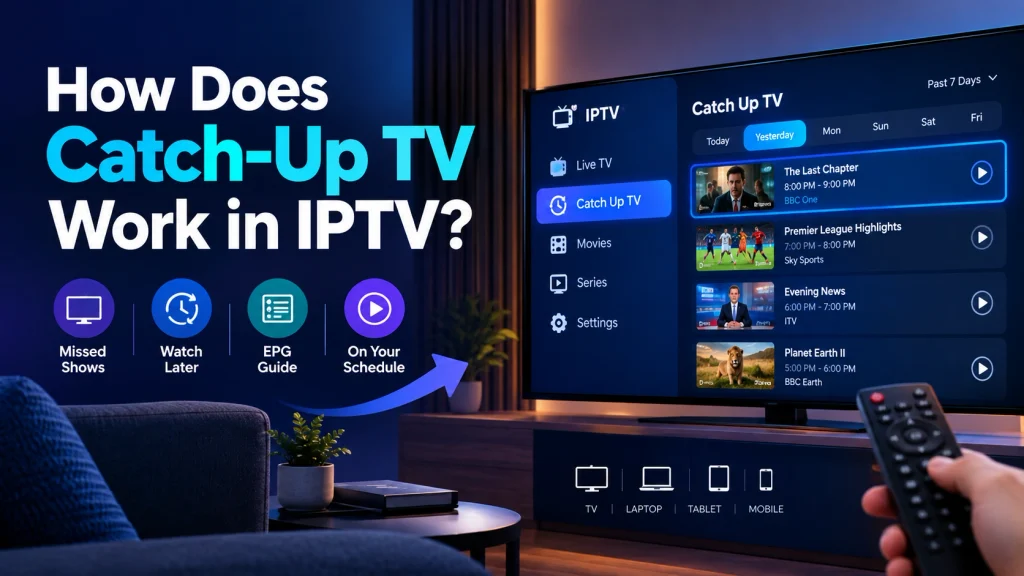
Understanding how catch-up TV work requires a quick look at what happens on the provider’s end before the content ever reaches your screen.
Server-Side Recording vs. Client-Side Recording
Most catch-up TV IPTV features rely on server-side recording. This means:
- The IPTV provider’s infrastructure continuously records the live feed of every catch-up-enabled channel.
- Each recording is broken into indexed segments and stored temporarily on the provider’s servers or CDN (Content Delivery Network).
- When you request a past program, the server streams that stored segment to your device – nothing is downloaded or stored locally.
This is different from client-side (local) recording, like an old-school DVR, where the recording happens on a box sitting in your living room. Client-side setups require your own storage, your own scheduling, and only work if you set the recording up in advance. Server-side catch-up works retroactively – you don’t need to have planned ahead at all.
The Role of the EPG in Catch-Up TV
The catch-up TV EPG is the backbone of the entire feature. The Electronic Program Guide isn’t just a visual schedule – it carries the metadata (start time, end time, program title, channel ID) that the player uses to match your request to the correct recorded segment.
When you tap on a program that aired three hours ago, your IPTV app sends a request built from that EPG timestamp data to the provider’s catch-up server. If the EPG data is inaccurate – even by a few minutes – you’ll notice the recording starting mid-scene or cutting off early. This is precisely why EPG sync issues are the number one cause of catch-up playback complaints (more on troubleshooting this below).
If you want a deeper technical breakdown of program guide standards, Wikipedia’s overview of the Electronic Program Guide is a solid, neutral reference point.
Bandwidth & Streaming Buffer Mechanics
Because catch-up content streams live from the provider’s servers (not from your device’s local storage), it behaves like any other on-demand stream:
- It requires a stable internet connection throughout playback.
- It uses adaptive bitrate streaming in most modern players, adjusting quality based on your available bandwidth.
- Buffering happens at the start of playback and, in cases of unstable connections, mid-playback — which is why a wired or strong Wi-Fi connection matters more for catch-up and VOD than for standard live streaming.
Catch-Up TV vs. VOD, DVR, and Timeshift: The Real Differences
These four terms get thrown around interchangeably, but they are technically distinct. Here’s the breakdown.
Table 1: Catch-Up TV vs. VOD (Video on Demand)
| Feature | Catch-Up TV | VOD (Video on Demand) |
|---|---|---|
| Content source | Recorded from live broadcast channels | Curated library (movies, series, exclusives) |
| Availability window | Limited (24 hrs–7 days typically) | Usually permanent, until removed by provider |
| Tied to live schedule? | Yes, mirrors the channel’s aired programming | No, independent content library |
| Best for | Missed live shows, news, sports replays | Browsing movies/series anytime |
Table 2: Catch-Up TV vs. DVR / Cloud DVR
| Feature | Catch-Up TV | DVR / Cloud DVR |
|---|---|---|
| Setup required | None, automatic on supported channels | Must schedule/select the recording in advance |
| Storage | Provider’s servers (all users share the recording) | Your allocated cloud or hardware storage |
| Retention control | Set by the provider, same for all users | Often user-controlled (can save longer) |
| Recording flexibility | Only channels the provider enables | Any channel/program you choose to record |
Is catch-up TV the same as DVR? Not quite; DVR is proactive (you choose what to record), while catch-up is reactive (everything eligible is already recorded for you).
Table 3: Catch-Up TV vs. Timeshift / Replay TV
| Feature | Catch-Up TV | Timeshift / Replay TV |
|---|---|---|
| Primary use case | Watch a full program after it fully aired | Pause, rewind, or restart a program currently airing |
| Typical window | Hours to days after broadcast | Minutes to a few hours (often same broadcast day) |
| Common terminology | “Catch-up,” “replay,” “on-demand replay” | “Timeshift,” “live pause,” “restart TV” |
In practice, many IPTV providers, including modern catch-up TV IPTV setups, blend timeshift and catch-up into a single unified “restart” or “replay” icon in the EPG, so the distinction is often invisible to the end user even though the backend mechanics differ. For a deeper technical explanation of the underlying concept, Wikipedia’s entry on time-shifting covers how the practice evolved from analog VCRs to today’s server-side replay systems.
How Long Does Catch-Up TV Last?
This is one of the most searched catch-up TV questions, and the honest answer is: it depends entirely on the provider and the channel.
Typical retention windows include:
- 24 hours – common for basic packages and news channels
- 48–72 hours – a frequent middle-ground offering
- 7 days – considered a premium catch-up TV service tier, and the standard many serious IPTV subscribers look for. This isn’t just a marketing number; operators like UPC Czech Republic have rolled out full seven-day catch-up windows across their top-viewed channels, reflecting how far the industry standard has shifted
- Beyond 7 days – rare, and usually limited to specific channels rather than the full lineup
Can you watch old TV programs on catch-up TV permanently? No, catch-up TV is not designed as permanent storage. Once the retention window expires, that recording is cycled out to make room for new content. If you want to keep something indefinitely, you’d need a separate cloud DVR feature (where offered) or to download/record it through your own device, catch-up alone isn’t built for archiving.
Step-by-Step: How to Use Catch-Up TV on Popular IPTV Players
How to Spot Catch-Up-Enabled Channels
Before diving into a specific app, know what to look for in the EPG:
- A small clock icon or circular arrow/restart icon next to a program listing
- Programs that are grayed out slightly differently than “live now” entries
- A “Catch-up” or “Replay” label directly in the program description
If you’re setting up a new environment, our Best IPTV Setup Guide walks through getting your player configured correctly from scratch, which makes spotting these icons much easier from day one.
Using Catch-Up TV on TiviMate
- Open the EPG (Guide) view from the main menu.
- Scroll back in time using the on-screen timeline or remote’s rewind/left button.
- Select a past program if catch-up is available; you’ll see a play/replay icon on the info card.
- Press OK/Select to start playback immediately, or choose “More Info” first to confirm duration and availability.
- Use standard playback controls (pause, rewind, fast-forward) exactly as you would with VOD content.
Using Catch-Up TV on IPTV Smarters Pro / XCIPTV
- From the home screen, navigate to the Live TV or EPG tab.
- Tap the channel you want, then swipe or scroll to view its program history.
- Programs eligible for replay display a “Catch-up” or “Watch Again” button.
- Tap it to begin streaming the recorded segment.
- If unavailable, the app will typically show only a “Reminder” option instead, meaning that the program either hasn’t aired yet or has aged out of the retention window.
Catch-Up TV Across Devices
- Amazon Firestick: Navigate the EPG using the D-pad; catch-up icons appear identically to the Android TV experience.
- Android TV Box: Full support in nearly all major players; performance depends on your box’s RAM/processor for smooth buffering.
- Smart TV (native apps): Support varies by app version – always keep your IPTV app updated to the latest release for full catch-up compatibility.
- MAG / Formuler devices: Catch-up typically appears under a dedicated “Archive” or “TV Archive” menu rather than inline in the EPG – check your device’s specific portal settings.
For a device-specific walkthrough, check our dedicated setup pages, including guides for Firestick and Smart TV configurations, linked from our IPTV Setup Guides hub.
Why Is Catch-Up TV Not Working? (Troubleshooting & Fixes)
When catch-up TV fails, it’s almost always one of these five issues.
1. EPG Sync or Timezone Offset Errors
If your recordings start too early, too late, or don’t line up with what actually aired, your EPG timezone setting is likely mismatched with your provider’s server region. Check your player’s Settings > EPG > Timezone and align it with your actual location.
2. ISP Throttling
Some internet service providers throttle streaming traffic during peak hours, which can cause catch-up playback to buffer or fail to load entirely — even though live TV works fine. A reliable, no-log VPN can often resolve this by preventing your ISP from identifying and deprioritizing streaming traffic.
3. Outdated App Version or Corrupted Cache
IPTV apps update frequently to fix playback bugs. Go to Settings > Apps > [Your IPTV App] > Clear Cache, then check your app store for pending updates.
4. Provider-Side Channel Limitations
Not every channel on every playlist supports catch-up — it depends entirely on what the upstream broadcaster allows and what your provider has enabled. This is a licensing and infrastructure decision made above the app level, not a bug in your setup.
5. Weak or Unstable Connection
Since catch-up streams live from the server (unlike local recordings), a connection drop mid-playback will interrupt it. A minimum of 15–25 Mbps is recommended for smooth HD catch-up streaming, and more for 4K content.
Why Choose Homeplex IPTV for Catch-Up TV Streaming?
Not all IPTV catch-up features are created equal; retention windows, server stability, and channel coverage vary enormously between providers. Homeplex IPTV is built around getting this specific feature right:
- Up to a 7-day catch-up window on supported channels – enough time to actually catch up on a busy week, not just yesterday’s news.
- High-uptime infrastructure designed to minimize the buffering and dropped-connection issues that plague catch-up playback specifically.
- Anti-freeze streaming technology that adapts to your connection in real time rather than stalling out.
- Multi-device compatibility across Firestick, Android TV, Smart TVs, and MAG/Formuler devices, with consistent catch-up support across all of them.
If you want to test it yourself before committing, our Homeplex IPTV Free Trial is the fastest way to see the catch-up experience firsthand. For long-term access, compare options on our IPTV Subscription Plans page, and if you’re setting up for the first time, our M3U Playlist Guide will get your player configured correctly from the start.
Frequently Asked Questions
-
Does catch-up TV require high-speed internet?
Yes. Because catch-up content streams live from the provider’s servers rather than playing from local storage, a stable connection of at least 15–25 Mbps is recommended for HD playback without buffering.
-
Is catch-up TV free with IPTV subscriptions?
In most cases, yes — catch-up is bundled into standard IPTV packages rather than sold as a separate add-on. However, the retention window (24 hours vs. 7 days) often differs between basic and premium subscription tiers.
-
What channels usually support catch-up TV?
Major entertainment, news, and sports channels are the most commonly supported, since these have the highest demand for replay. Smaller or niche channels support catch-up less consistently, depending on licensing agreements with the broadcaster.
-
Why is catch-up TV not working on my app specifically?
The most common causes are EPG timezone mismatches, outdated app versions, or the specific channel/program simply not being catch-up-enabled by the provider. Work through the troubleshooting checklist above in order.
-
Can I watch old TV programs on catch-up TV indefinitely?
No. Catch-up TV operates on a rolling retention window; once a program ages out (commonly after 24 hours to 7 days), it’s replaced by newer recordings. It is not designed as a permanent archive.
-
Is catch-up TV the same as VOD?
No. VOD is a standalone content library independent of the live schedule, while catch-up TV is directly tied to what aired on live channels and is only available for a limited time after broadcast.
-
How to use catch-up TV on IPTV if I don’t see any catch-up icons at all?
First, confirm your EPG data is loading correctly and up to date, since catch-up availability is displayed through EPG metadata. If the guide itself looks accurate but icons are still missing, the channel or your specific package likely doesn’t include catch-up support – check with your provider.
Bringing It All Together
Catch-up TV solves a genuinely simple problem: life doesn’t stop for live TV schedules. Whether it’s a match that ran late, a news segment you missed during dinner, or an episode that aired while you were asleep, catch-up TV IPTV features turn a rigid broadcast schedule into something far more flexible – without requiring you to plan a single recording in advance.
The technology behind it (server-side recording, EPG-driven timestamp matching, adaptive streaming) is what separates a smooth catch-up experience from a frustrating one, which is exactly why provider quality matters as much as the feature itself.
Ready to see it in action? Start with a Homeplex IPTV Free Trial and put the 7-day catch-up window to the test on your own schedule.

One Response