
Key Takeaways
- IPTV Smarters Pro is a free media player. It does not include any channels, movies, or subscriptions.
- You need login details from an IPTV provider: an Xtream Codes login or an M3U playlist link.
- The official app is made by WHMCS Smarters. Many look-alike apps use the same name, so always check the developer.
- It runs on Android phones and TV boxes, Firestick, iPhone, iPad, Windows, and Mac. Firestick users usually install it with the Downloader app.
- Setup takes about five minutes: install, choose a login method, enter your details, and wait for channels to load.
- Best for beginners who want a simple, familiar layout. Power users who want a faster guide and deeper customization may prefer other players.
- The app is legal. What you stream through it decides whether your use is legal.
IPTV Smarters Pro in 2026: what you need to know first
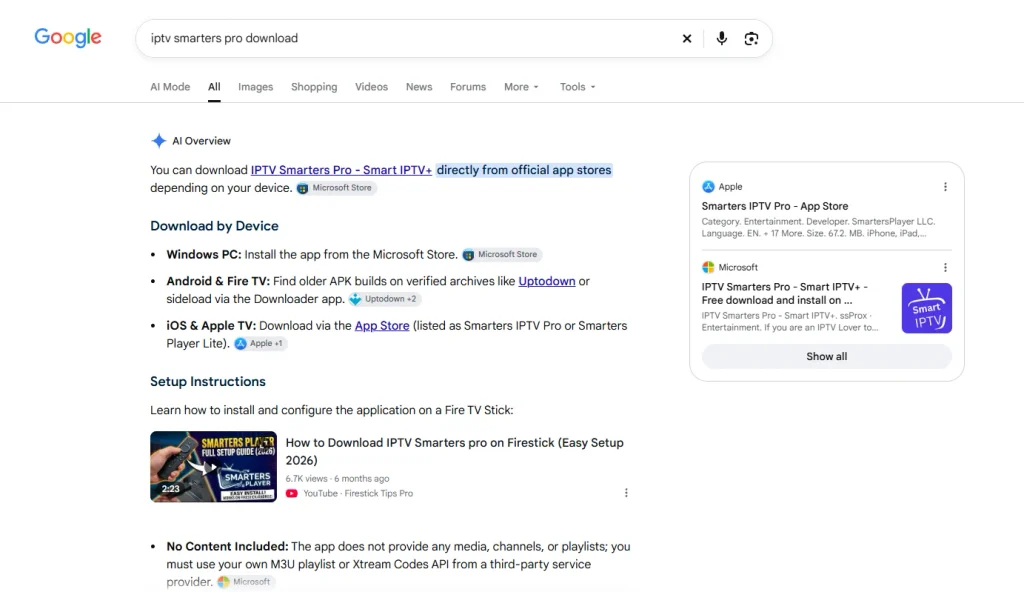
IPTV Smarters Pro is still one of the most downloaded IPTV players in 2026. It is free, easy to set up, and works on almost every screen in your home.
But there is a lot of confusion around it. Many people think it is a streaming service. Others install a fake copy from an app store and wonder why it asks for money upfront.
This guide clears that up. You will learn how to download the real app, set it up step by step, and decide if it is the right player for you.
What is IPTV Smarters Pro?
IPTV Smarters Pro is a video player built for internet TV. If you are new to what IPTV is, think of it like a TV remote and screen, not the channels themselves.
The app is developed by WHMCS Smarters. It reads the login details your provider gives you, then sorts everything into Live TV, Movies, Series, and a TV guide.
Here is how the pieces fit together:
- You subscribe to one of the many IPTV services available.
- The provider sends you a username, password, and server URL, or a playlist link.
- You enter those details into IPTV Smarters Pro.
- The app loads your channels and on-demand content.
The developer is clear about this: the app does not supply or include any media. It has no link to any provider. That is why it is often listed as the best IPTV player for beginners rather than a TV service.
Key features of IPTV Smarters Pro
The Android version lists a long set of features. These are the ones you will actually use:
| Feature | What it does |
|---|---|
| Xtream Codes and M3U login | Connects to almost any provider with two common login types |
| Live TV, Movies and Series | Separates channels from movies and series on demand |
| EPG (TV guide) | Shows what is on now and next for each channel |
| Catch-up TV | Lets you replay past shows, if your provider supports it |
| Recording | Saves live streams to your device (Android) |
| Multi-screen | Watch up to four channels at once on one screen |
| Multi-user | Save several logins or playlists in one app |
| Parental controls | Lock categories with a PIN |
| External player support | Play streams in VLC or MX Player instead |
| Chromecast | Cast from your phone to a TV |
| Picture-in-picture | Keep watching while you use other apps |
| Master search | Find a channel, movie or series across all sections |
Feature sets differ between Android, iOS and desktop builds. Recording, for example, is mainly an Android feature.
IPTV Smarters Pro download: every device
The safest place to start is the official IPTV Smarters website. It lists the current builds for each platform. Avoid random APK sites that rename or modify the app.
Android phones, tablets, and TV boxes
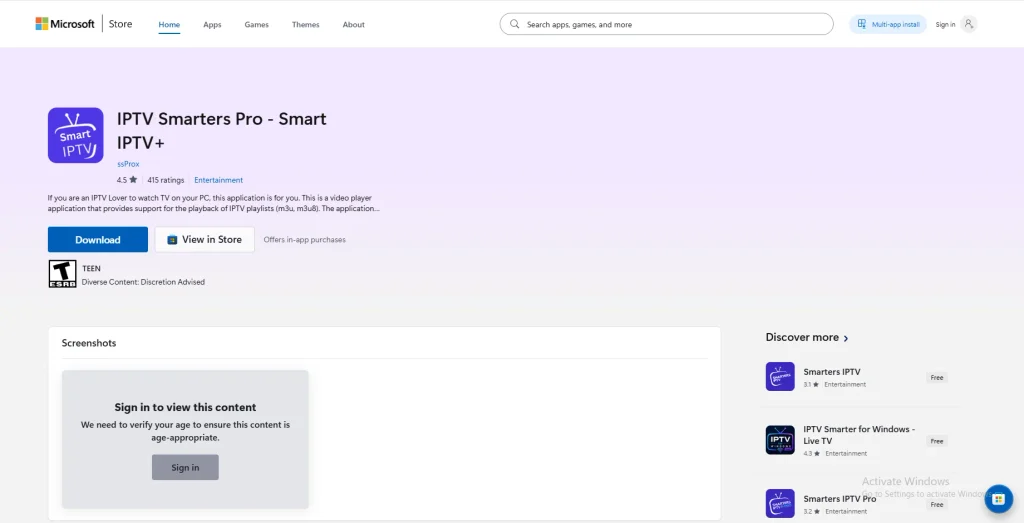
- Open the Google Play Store.
- Search for “IPTV Smarters Pro”.
- Pick the app published by WHMCS Smarters, then tap Install.
If it does not show up in your region, download the APK from the official site. You can also check the version history on the WHMCS Smarters listing on APKMirror, which verifies app signatures.
Amazon Firestick and Fire TV
The app is usually not in the Amazon Appstore, so you sideload it.
- From the Fire TV home screen, search for and install Downloader by AFTVnews.
- Go to Settings > My Fire TV > Developer Options.
- Turn on Install unknown apps for Downloader.
- Open Downloader and type the APK link from the official IPTV Smarters site.
- Install the file, then delete the APK to free up space.
iPhone, iPad, and Apple TV
Open the App Store and search for IPTV Smarters. Check the developer name before you tap Get. The App Store has many unrelated players using “Smarters” in their names, some with paid subscriptions.
For more choices, see our guides to players for iPhone, iPad, and Apple TV.
Windows and Mac
Download the Windows installer (.exe) or Mac file (.dmg) from the official site. Run it like any other program.
Smart TVs and Roku
Samsung and LG availability changes by model and region. If you cannot find it in your TV’s app store, a Firestick or Android TV box is the easiest fix.
There is no official app for Roku.
IPTV Smarters Pro setup: step by step
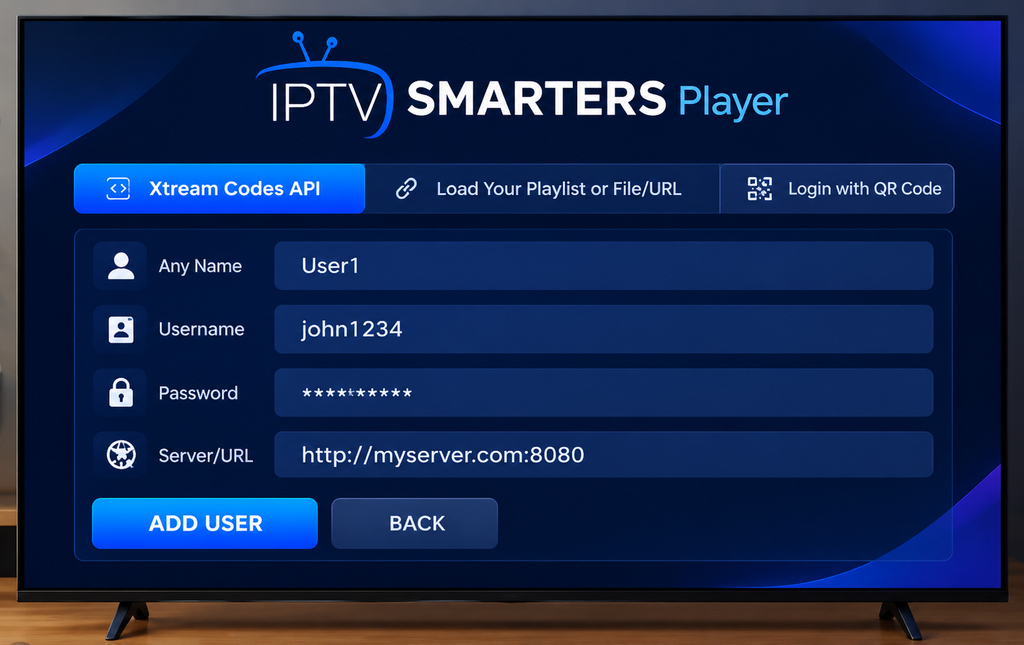
Open the app, accept the terms, and choose your layout (Mobile or TV). You will then see the login options.
Option 1: Login with Xtream Codes API (recommended)
The Xtream Codes API login loads faster and pulls the TV guide automatically.
- Tap Login with Xtream Codes API.
- Any name: type a label, like “Home TV”.
- Username and Password: copy them exactly from your provider’s email.
- URL: enter the server address, including http:// and the port number if given.
- Tap Add User. Wait one to three minutes while channels, movies, and the guide download.
Option 2: Load your playlist with an M3U URL
Use this if your provider only sent an M3U URL.
- Tap Load Your Playlist or File/URL.
- Give it a name and select M3U URL.
- Paste the full link, then tap Add User.
M3U logins may require you to add the EPG link by hand under Settings > EPG.
Settings worth changing
- Player selection: if a channel stutters, try the other built-in player or switch to VLC.
- Stream format: switch between MPEGTS (.ts) and HLS (.m3u8) if streams fail to start.
- Time format and timezone: fix guide times that look shifted.
- Parental control: set a PIN before kids use the app.
IPTV Smarters Pro review: the honest verdict
IPTV Smarters Pro is a solid, beginner-friendly player with a few real drawbacks. Here is how it holds up in 2026.
What we like
- Free to install. The core player costs nothing from the official source.
- Easy first setup. Most people are watching within five minutes.
- Works almost everywhere. One app across phone, TV box, Firestick and computer.
- Clear layout. Live TV, Movies, Series and Catch-up each have their own big tile.
- Handy extras. Multi-screen, recording and parental controls are built in.
What could be better
- Fake copies everywhere. The name is copied so often that finding the real app takes care.
- Slow with big playlists. Lists with tens of thousands of channels can take minutes to load on older Firesticks.
- Basic TV guide. The EPG works, but it feels dated next to cable-style guides in rival players.
- Inconsistent across platforms. iOS and desktop builds miss some Android features.
- Only as good as your provider. Buffering and missing channels usually come from the service, not the app.
Scorecard
| Category | Score (out of 10) |
|---|---|
| Ease of setup | 9 |
| Device support | 9 |
| Interface | 7.5 |
| TV guide (EPG) | 6.5 |
| Speed with large playlists | 6.5 |
| Value | 9 |
| Overall | 8 |
Verdict: Pick IPTV Smarters Pro if you want a free, simple player that works on every device in the house. If you mostly watch live TV on an Android TV box and want a faster guide, compare it with other players first.
Is IPTV Smarters Pro safe and legal?
The official app is safe and legal. The risks come from fake versions and from where your streams come from.
How to spot a fake IPTV Smarters Pro app
- The developer is not WHMCS Smarters.
- It asks you to pay before you can even open it.
- It is called “Ultimate”, “Mod,” or “Premium” and comes from an unknown site.
- It asks for permissions a video player does not need, like contacts or SMS.
- You get an “App not installed” error when updating. This often means a modified copy is already on your device.
The legal side
A player is just software, like VLC. The real question is IPTV legal, depends on your provider having the rights to the channels it sells.
Unlicensed sources also carry security risks. A Digital Citizens Alliance investigation found people using piracy devices and apps were six times more likely to report malware problems. Researchers also warned that malware can spread to other devices on the same home network.
The safest route is to pair the app with legal IPTV services and keep it updated from the official source.
Common IPTV Smarters Pro problems and fixes
| Problem | Quick fix |
|---|---|
| “Invalid username or password” | Retype details with no extra spaces; check the URL has http:// and the port |
| Channels buffer | Switch player or stream format; use a wired connection; test speed in the app |
| TV guide is empty | Refresh EPG in Settings; add the EPG URL manually for M3U logins |
| Guide times are wrong | Adjust the timezone or time shift in Settings |
| App crashes on Firestick | Clear cache under Settings > Applications; reinstall from the official site |
| Movies load but live TV does not | Your subscription may have expired or hit its connection limit |
If every fix fails, contact your provider. Most streaming issues are on the server side.
IPTV Smarters Pro alternatives
Smarters is a great starting point, but not the only option.
| Player | Best for | Platforms |
|---|---|---|
| TiviMate | Fast, cable-style TV guide | Android TV, Firestick |
| IBO Player Pro | Smart TVs | Samsung, LG, Android |
| GSE Smart IPTV | Apple users who want many formats | iOS, Apple TV, Android |
| XCIPTV | Lightweight Xtream player | Android, Firestick |
Want to test a few players before you commit? Start with a provider that offers a free trial.
IPTV Smarters Pro FAQs
-
Is IPTV Smarters Pro free?
Yes. The official player is free to download and use. Some builds offer optional paid extras, and many clones charge subscriptions, so check the developer first.
-
Does IPTV Smarters Pro come with channels?
No. It is only a player. You need a subscription or playlist from a provider.
-
Is IPTV Smarters Pro available on the Amazon Appstore?
Usually not. Most Firestick users install it with the Downloader app and the APK from the official website.
-
Can I use IPTV Smarters Pro on more than one device?
Yes, you can install it on as many devices as you like. How many can stream at once depends on your provider’s connection limit.
-
Do I need a VPN with IPTV Smarters Pro?
The app works without one. A VPN can add privacy and help when your internet provider slows down streaming traffic.
-
What is the difference between IPTV Smarters Pro and Smarters Lite?
Pro is the full-featured version. Lite is a simpler build that has been offered mainly for Apple devices, with fewer extras.
Final thoughts
IPTV Smarters Pro earns its popularity. It is free, simple to set up, and runs on nearly every device you own.
Just download it from the official source, check the developer name, and pair it with a reliable, licensed provider. Do that, and it will serve you well in 2026.