
Picking an IPTV player for your iPhone or iPad is trickier than it should be. The App Store is full of apps with nearly identical names, near-identical icons, and copy-pasted descriptions. Some are legitimate, actively maintained players. Others are clones or low-effort clones trying to catch traffic from a bigger name.
That matters because the player app is the thing standing between you and your subscription every single day. A player that mishandles your Xtream Codes login, buries your EPG, or can’t hold a stable connection will make even a great IPTV service feel broken.
This guide focuses on what actually differs between players: M3U and Xtream Codes support, EPG quality, AirPlay and casting, interface design on iPhone versus iPad, and what’s genuinely free versus what needs payment. We looked at official App Store listings and developer sites to keep the details accurate, and we call out uncertainty where it exists instead of guessing.
One thing to keep in mind throughout: the best IPTV player for iOS is just the player. None of the apps below include TV channels. You still need your own legal IPTV subscription or service, M3U playlist, or Xtream Codes login from a provider. If you’re weighing options across every platform, not just Apple’s, our broader best IPTV player guide covers Android, Firestick, and Smart TV apps too.
What Is an IPTV Player for iOS?
IPTV, or Internet Protocol Television, delivers live channels and on-demand content over a standard internet connection instead of satellite or cable. An IPTV player is the media player app that connects to that stream and displays it in an organized, TV-like interface, channel lists, an on-screen guide, search, and playback controls. The app itself is empty until you add a source.
A few terms come up constantly when shopping for an IPTV player for iPhone or iPad:
- M3U playlist: a plain text file containing a list of stream links. You either paste a URL to the file or upload it directly.
- Xtream Codes: a login system used by many IPTV panels. Instead of a playlist file, you enter a server URL, username, and password, and the app pulls your channel list, movies, and series automatically.
- EPG (Electronic Program Guide): the “what’s on now / what’s on next” grid you see on real TV boxes. Most players load EPG data from an XMLTV file supplied by your provider.
- VOD (Video on Demand): movies and TV series delivered outside the live channel list, usually browsed in their own tab.
None of this content comes from the player app. The app is the interface; your provider supplies what runs through it.
5 Best IPTV Players for iPhone & iOS in 2026
Here’s how the main players compare on the features that matter most for iOS. Details can change between App Store updates, so treat this as a starting point and check the current listing before installing.
| IPTV Player | iPhone/iPad | Apple TV | Xtream Codes | Best For |
|---|---|---|---|---|
| GSE Smart IPTV | Yes | Yes (separate legacy app) | Yes | Power users who want deep protocol support |
| Smarters Player Lite | Yes | Yes | Yes (via provider) | Beginners who want a familiar Smarters-style layout |
| UHF – Love your IPTV | Yes | Yes | Yes | Users who want a modern interface without a paywall |
| IBO Player Pro | Yes | Yes | Yes | Multi-device households (Smart TV + Apple) |
| Flex IPTV | Yes | Yes | Limited/parsed | Apple-only households wanting recording |
A quick naming warning before you search the App Store: looking up “IPTV Smarters” returns a long list of similarly named apps from different, unrelated developers: “Smarters Pro,” “Smarters IPTV Pro,” “IPTV Smart Pro,” and others. Some are legitimate independent players; some are low-quality clones riding on the name. If a listing looks thin, has generic screenshots, or has a flood of one-star reviews about broken logins, skip it. Smarters Player Lite, published by WHMCS SMARTERS, is the developer-confirmed iOS counterpart to the well-known IPTV Smarters Pro brand, so it’s the safer of the group to start with.
1. GSE Smart IPTV
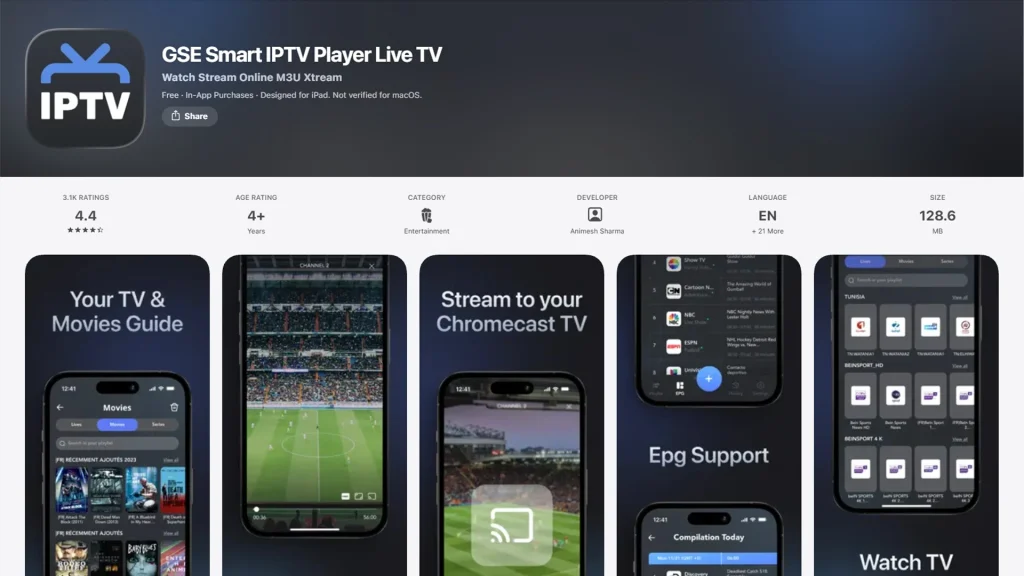
GSE Smart IPTV is one of the longest-running IPTV players on the App Store. It’s built as a straightforward player shell: no bundled channels, just a fast way to load M3U and Xtream sources.
Key Features
- Supports M3U and Xtream Codes API logins
- EPG support in XMLTV and GZIP formats
- Handles multiple network protocols (HTTP, RTSP, RTMP, HLS, and more)
- Supports multiple simultaneous playlists
Pros
- Deep protocol support, useful if your provider uses an uncommon stream format
- Clean, fast interface that’s easy to navigate on iPhone
- Long track record and frequent updates
Cons
- The App Store listing is designed primarily for iPhone and iPad; Apple TV users need a separate, older GSE app, and support quality there is inconsistent
- Some in-app purchases are required to unlock the full feature set
- Developer support has been described as slow to respond in user reviews
Best For: Users who want a no-frills, capable player and are comfortable managing playlists and EPG settings themselves.
2. Smarters Player Lite
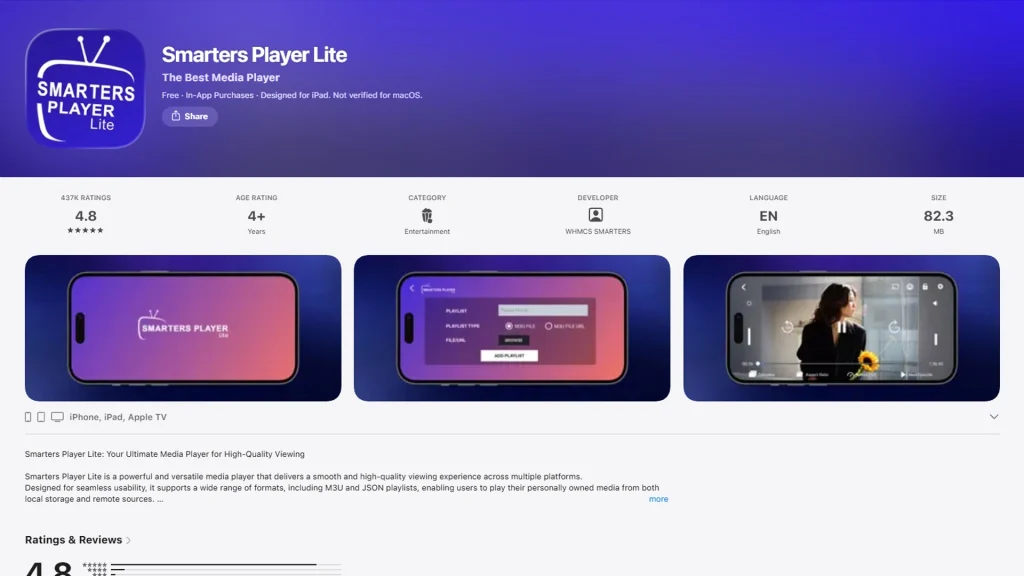
Smarters Player Lite is the official iOS release tied to the IPTV Smarters ecosystem, one of the most recognized names in IPTV playback software. It’s designed to feel familiar to anyone who has used Smarters-branded apps on other platforms.
Key Features
- Supports M3U and JSON playlist formats
- Log in via Xtream Codes-style credentials through your provider
- Designed specifically for iPad, with iPhone support as well
- Simple category-based channel and VOD browsing, with standard EPG support on its Apple TV release
Pros
- Familiar layout for anyone switching from an Android or Firestick Smarters app
- Straightforward setup with minimal configuration steps
- Free to download, with an optional premium in-app purchase
- Also available as a native Apple TV app, so the same setup carries over to the living room
Cons
- The iPhone/iPad App Store description doesn’t spell out EPG details as clearly as the tvOS version; confirm this directly if a program guide is a priority
- Because of the crowded “Smarters” naming space, it’s easy to accidentally download an unrelated clone instead
- Interface feels more basic than newer, purpose-built iOS players like UHF
Best For: Beginners who want a recognizable, low-friction setup and don’t need an advanced EPG.
3. UHF – Love your IPTV
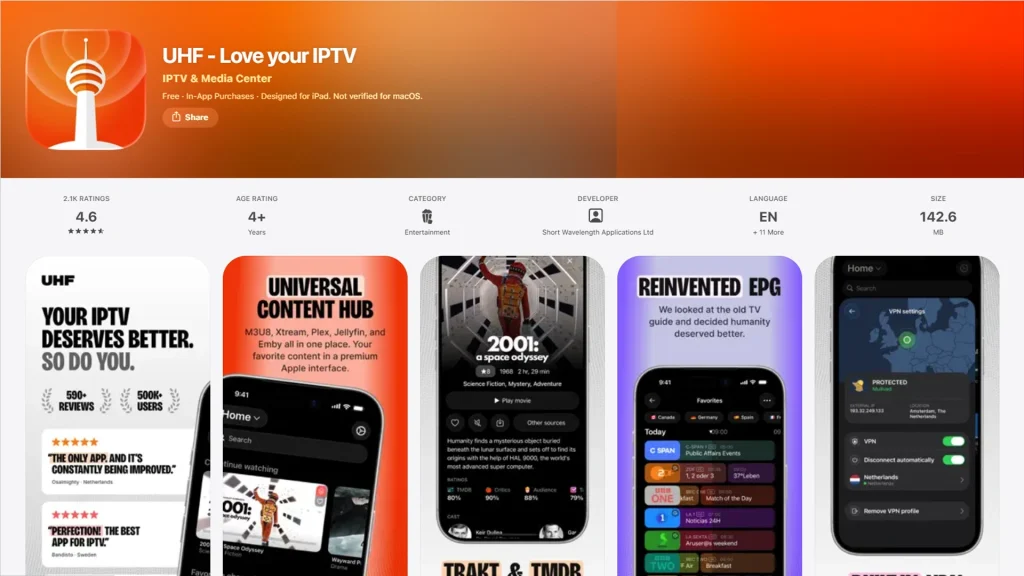
UHF is a more recently built player designed specifically around Apple’s design language. It supports M3U8, Xtream Codes, and even niche formats like Jellyfin and Stremio addons, and it markets itself on not locking core features behind a paywall.
Key Features
- Global search across all connected playlists at once
- A touch-optimized EPG built around swiping rather than a static TV grid
- Catch-up TV support where your provider offers it
- Smart reconnect that resumes playback automatically after a dropped connection
Pros
- Modern, Apple-style interface that feels native rather than ported from Android
- Most playback and organization features are free
- Actively updated, with frequent changelog entries addressing bugs and playback issues
Cons
- Some advanced features (like VPN integration or the recording companion app) require additional setup or third-party services
- As a newer app, it has a shorter track record than GSE or IBO Player
- Its own changelog notes it has had to block fraudulent playlists impersonating official partnerships, a reminder to only use sources you trust
Best For: iPhone and iPad users who want a genuinely modern interface and are willing to try a newer player over an established one.
4. IBO Player Pro
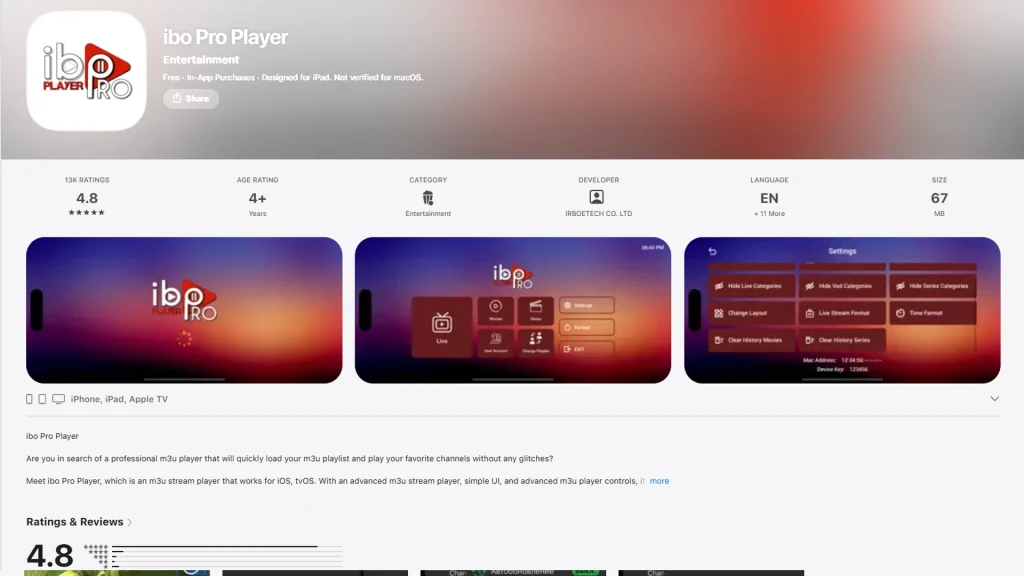
IBO Player Pro’s main selling point is breadth. It runs natively across Samsung and LG smart TVs, Android TV, Fire TV, Apple TV, iPhone, and iPad, using the same login system on every platform.
Key Features
- Supports both a portal-based login (MAC address and device key, set up on a computer) and direct Xtream Codes entry on iOS
- 4K streaming support
- Multiple interface themes
- Movie posters and metadata for series and movies
Pros
- One consistent app and setup process across almost every device type a household might own
- Free to download; the base app works without an upfront purchase
- Well documented online due to its popularity with IPTV providers
Cons
- Full functionality requires a one-time activation fee (roughly $5.99–$9.99 depending on the exact app version and platform), and this is billed per device
- Interface is functional but less polished than UHF or newer competitors
- EPG quality depends heavily on what your provider supplies; the app itself adds limited guide data of its own
Best For: Households mixing Apple devices with Smart TVs or Android TV boxes who want one player to learn instead of several.
5. Flex IPTV
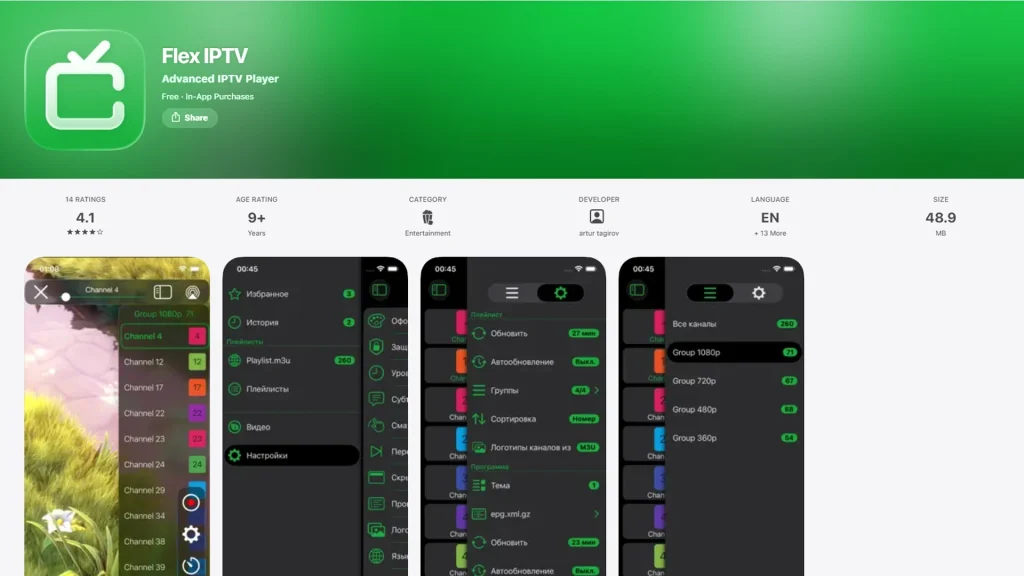
Flex IPTV has been on the App Store for years and is built exclusively for the Apple ecosystem — no Android or Fire TV version exists. That focus shows up in features like Touch ID-protected parental controls and native recording.
Key Features
- Remote and local M3U playlists with auto-updating
- XMLTV EPG support
- Built-in live stream recording
- Parental controls locked with Touch ID or a PIN
Pros
- Apple-exclusive focus means tighter integration with iOS features like Touch ID
- Recording live streams is a genuinely uncommon feature among iOS IPTV players
- One-time Pro purchase rather than a subscription
Cons
- The Pro upgrade is a separate purchase for iOS and tvOS, so Apple TV users pay twice for the same feature set
- Its Xtream Codes handling is more limited than dedicated Xtream-first apps like GSE; it works best with straightforward M3U sources
- Free version includes ads that several reviewers describe as intrusive
Best For: Users fully inside the Apple ecosystem who specifically want DVR-style recording without leaving the app.
Best Free IPTV Player for iPhone
“Free” means different things across these apps, so it’s worth being specific:
- Free with meaningful functionality, ads or upsells for extras: GSE Smart IPTV and UHF both let you load M3U and Xtream sources and start watching without an upfront payment. UHF in particular avoids putting core playback features behind a paywall, based on its current App Store description.
- Free to download, paid to fully activate: IBO Player Pro is free to install, but its complete feature set requires a one-time device activation fee. Treat it as free-to-try rather than free-to-use long-term.
- Free with ads until you pay to remove them: Flex IPTV and Smarters Player Lite fall here – usable for free, with an in-app purchase to unlock a cleaner or fuller experience.
If your priority is the best free IPTV player for iOS with the fewest strings attached, GSE Smart IPTV and UHF are the two worth starting with, since their core playlist and playback features aren’t locked behind a purchase.
Best IPTV Player for iPad
The iPad’s larger screen changes what actually matters in an interface. A cramped iPhone layout with tiny channel logos can look completely different – better or worse – once it’s stretched across a tablet display.
UHF and GSE Smart IPTV both use grid-based channel browsing that scales up cleanly to iPad, and UHF’s touch-first EPG design in particular benefits from the extra screen space for showing more programs at once. IBO Player Pro and Flex IPTV also support iPad, though their layouts read more like enlarged phone interfaces than tablet-first designs.
Smarters Player Lite is explicitly built with iPad as a primary target according to its App Store listing, which makes it a reasonable pick if you mainly watch on an iPad and want a simple, familiar layout rather than a feature-dense one.
Landscape mode works across all of these apps for actual playback, which matters more than the browsing screen once you’re actually watching something.
Best IPTV Player for Apple TV
It’s a common mistake to assume an iPhone IPTV app will also work on Apple TV. Some do, through a separate but related app; others simply don’t have a tvOS version at all. For a deeper breakdown of tvOS-specific apps like IPTVX, iPlayTV, and Snappier IPTV, see our full best IPTV players for Apple TV guide.
Of the apps covered here, UHF, IBO Player Pro, Flex IPTV, and Smarters Player Lite all have confirmed, native Apple TV apps in addition to their iPhone/iPad versions. GSE Smart IPTV has an Apple TV presence too, but it runs through a separate, older app listing rather than the same universal app used on iPhone, so setup and login details may look different.
The experience also changes meaningfully by device:
- iPhone: best for on-the-go viewing, quick search, and Picture-in-Picture while doing something else on screen.
- iPad: a middle ground: bigger EPG grids and movie libraries, still portable.
- Apple TV: the living-room experience. This is where remote-friendly navigation, a properly laid-out EPG, and stable long-session playback matter most, since you’re less likely to be holding a controller close to the screen.
If Apple TV is your primary screen, prioritize apps in this list that have a dedicated tvOS build rather than relying on AirPlay from an iPhone every time.
How to Choose the Best IPTV Player for iOS
Device Compatibility
Check the listing for iPhone, iPad, and Apple TV support separately; they’re not always the same app, and “Universal” doesn’t always mean every Apple platform is covered equally well.
M3U and Xtream Codes Support
Ask your provider which login method they use before picking an app. If they only issue an M3U link, an Xtream-focused app that handles M3U as an afterthought will be a worse fit than a player like GSE that treats both as first-class options.
EPG Support
Not every app documents its EPG handling clearly in the App Store description. If a program guide matters to you, look for explicit mention of XMLTV support, and confirm your provider actually supplies an EPG feed — the player can’t build one out of nothing.
Playback Quality
Look for support for common formats like HLS and adaptive streaming, and pay attention to reviews mentioning buffering or crashes on specific iOS versions, since this changes with updates on both sides.
Interface and Ease of Use
A cluttered interface becomes a daily annoyance fast. If possible, try the free tier before paying for an upgrade, since screenshots rarely capture how an app actually feels to navigate.
AirPlay and Casting
AirPlay and Chromecast are different technologies. AirPlay is native to Apple devices; Chromecast requires the app to specifically support Google’s casting protocol. Check the current listing for both, since support can be added or dropped between updates.
Privacy and Permissions
IPTV players commonly request local network access to reach an Xtream server or Chromecast device. That’s normal, but avoid apps requesting permissions unrelated to playback, like broad location tracking, without a clear reason.
Pricing
Compare one-time purchases against subscriptions and per-device activation fees. A one-time $4.99 purchase used across years is a very different deal than $4.99 owed again every time you switch phones or add a second device.
How to Set Up an IPTV Player on iPhone
For a broader walkthrough that also covers Android and Smart TV setup, see our how to use IPTV guide. On iPhone specifically, the steps are:
- Choose a legitimate IPTV service or provider and obtain your M3U playlist link or Xtream Codes login details.
- Install a compatible IPTV player from the Apple App Store, based on the comparisons above.
- Open the app and look for “Add Playlist” or a similar setup option.
- Enter your M3U playlist URL, or your Xtream Codes server URL, username, and password.
- If your provider supplies a separate XMLTV EPG link, add it in the app’s EPG or guide settings.
- Wait for the app to load your channel and content list.
- Start watching, and set up AirPlay to an Apple TV if you want to view on a bigger screen.
The player app only handles steps 2 through 7.
Step 1: getting a legal source of content is entirely up to you and outside what any of these apps provide.
Are IPTV Players Legal on iPhone?
We cover this in more depth in our dedicated is IPTV legal article, but the short version: the IPTV player apps themselves are legal software, available through Apple’s own App Store, and function the same way as any media player: they display whatever source you connect. Downloading and using GSE Smart IPTV, UHF, or any other player from this list is not against the law.
What can be illegal is the content you connect the player to. Streaming from a licensed provider, a cable company’s own app, a legitimate IPTV subscription service, or your own personal media is legitimate use. Streaming copyrighted TV channels or movies through an unauthorized source, without a license to distribute that content, is a separate issue and can carry legal risk depending on your country.
In short: the technology is neutral. What matters is where your stream is actually coming from.
Frequently Asked Questions
-
What is the best IPTV player for iPhone?
There isn’t a single universal answer – it depends on whether you prioritize free features, EPG quality, or Apple TV compatibility. GSE Smart IPTV and UHF are strong general starting points because they support both M3U and Xtream Codes without heavy paywalls.
-
What is the best free IPTV player for iOS?
GSE Smart IPTV and UHF currently offer the most usable functionality without requiring payment, based on their App Store listings. Other apps are free to download but need an in-app purchase or activation fee to unlock full features.
-
Can I use IPTV on an iPad?
Yes. Most IPTV players in this guide, including GSE Smart IPTV, UHF, IBO Player Pro, Flex IPTV, and Smarters Player Lite, support iPad, often with layouts that scale up well from the iPhone version.
-
Can I use IPTV on Apple TV?
Yes, but only with apps that have a dedicated tvOS version. UHF, IBO Player Pro, Flex IPTV, and Smarters Player Lite all have native Apple TV apps, and GSE Smart IPTV has a separate legacy Apple TV listing. Don’t assume every iPhone IPTV app automatically works on Apple TV.
-
Do IPTV players provide channels?
No. Every app covered here is explicitly a player, not a content source. You need your own M3U playlist or Xtream Codes login from a separate provider to watch anything.
-
What is an M3U playlist?
An M3U playlist is a plain text file listing stream links for channels or content. IPTV players read this file, or a URL pointing to it, to build your channel list.
-
Do IPTV players support Xtream Codes?
Most modern IPTV players for iOS do, including GSE Smart IPTV, UHF, and IBO Player Pro. Support varies by app, so check the specific listing if Xtream Codes is your provider’s login method.
-
Can I use AirPlay with IPTV?
Yes, AirPlay generally works with IPTV player apps on iOS since it’s a system-level Apple feature, though playback smoothness over AirPlay still depends on your network and the app’s own casting implementation.
-
Are IPTV player apps legal?
Yes, the apps themselves are legal and available on the official App Store. Legality issues arise from the content source you connect to the player, not the player software itself.
-
Which IPTV player is easiest for beginners?
Smarters Player Lite tends to be the most approachable for first-time users because of its simple, familiar layout, though UHF’s modern interface is also easy to pick up quickly.
Final Verdict
There’s no single best IPTV player for iOS that fits every situation; the right choice depends on your devices, your provider’s login method, and how much you care about EPG or recording features.
- Best overall: UHF stands out for combining a modern, Apple-native interface with broad format support and few features locked behind a paywall.
- Best for beginners: Smarters Player Lite offers the simplest, most familiar setup process for anyone new to IPTV.
- Best free option: GSE Smart IPTV and UHF both deliver core functionality M3U, Xtream Codes, and EPG without requiring payment upfront.
- Best for advanced users: GSE Smart IPTV’s deep protocol support suits people with less common stream formats or multiple playlists to manage.
- Best for iPad: UHF and Smarters Player Lite both scale well to the bigger screen, with UHF’s EPG design making better use of the extra space.
- Best for Apple TV: UHF, IBO Player Pro, Flex IPTV, and Smarters Player Lite all have dedicated tvOS apps, with Flex IPTV standing out for built-in recording.
Whichever app you choose, confirm the current App Store listing before installing; features, pricing, and platform support on IPTV apps change more often than most software categories.

2 Responses